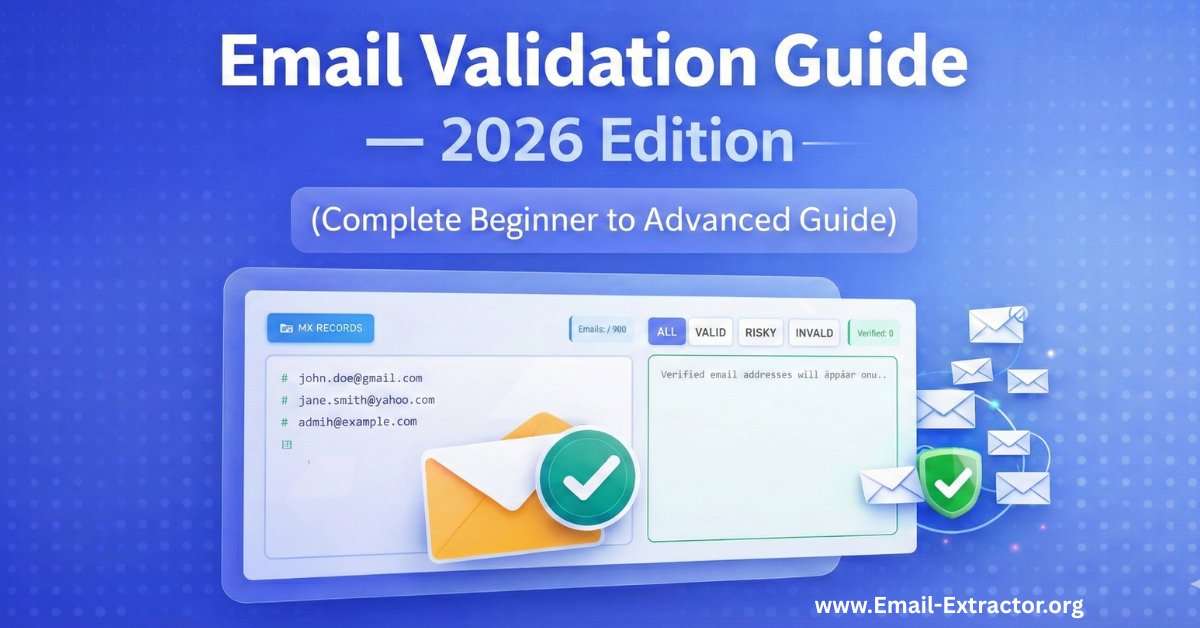
The Ultimate Guide to Email Validation in 2026 (Complete Beginner to Advanced Guide)
Picture this: You've just sent out your carefully crafted email campaign to 10,000 subscribers. You hit send, grab your coffee, and wait for the magic to happen. Then you check your metrics. Your bounce rate is 23%, your sender reputation just tanked, and Gmail has sent you straight to the spam folder. Ouch.
Welcome to the world of email marketing without validation. It's like throwing a party and realizing half your invitations went to abandoned houses.
Email validation isn't just some technical buzzword that developers throw around to sound smart. It's the difference between your emails actually landing in inboxes versus disappearing into the digital void. And in 2026, with inbox providers getting stricter than a school librarian, you can't afford to skip this step.
This guide will walk you through everything you need to know about email validation, from the absolute basics to advanced techniques that'll make you the email guru your marketing team never knew they needed.
What is Email Validation?
Email validation is the process of verifying that an email address is real, properly formatted, and capable of receiving messages before you actually send anything to it. Think of it as doing a background check on email addresses before letting them into your mailing list.
At its core, email validation checks whether an email address follows the correct format and whether it exists on a functioning mail server. It's like confirming someone's phone number actually works before you add them to your contacts.
Here's what makes an email address valid: it needs the right structure ([email protected]), the domain must exist (like gmail.com or yahoo.com), and there must be a mail server ready to accept messages for that domain. Without all three pieces, you're basically sending letters to fake addresses.
The process happens in real-time or in bulk. Real-time validation checks emails as people type them into your signup forms. Bulk email validation cleans up your existing email lists by checking thousands of addresses at once. Both methods serve the same purpose: keeping junk out of your database.
According to research from email deliverability experts, approximately 20-30% of email addresses in an average database become invalid within a year. People change jobs, abandon old accounts, or sign up with typos. Email validation catches these problems before they hurt your sender reputation.
Why Email Validation Is Important
Let's talk about money first, because that's what gets management's attention. Every email you send costs money, whether you're paying per email or for platform access. Sending emails to invalid addresses is literally burning cash. It's like paying for billboard space in an empty desert.
But the financial waste is just the beginning. Here's where things get serious: your sender reputation. Email providers like Gmail, Outlook, and Yahoo assign you a reputation score based on how recipients interact with your emails. High bounce rates tell these providers you're either sloppy or spammy. Neither label is good for business.
When your sender reputation drops, even your legitimate emails to real subscribers start landing in spam folders. It's a domino effect. One study by Return Path found that senders with bounce rates above 2% experienced a 20% decrease in inbox placement rates.
Here's why email validation matters for your business:
- Protects your sender reputation – ISPs track your bounce rates closely, and consistently high bounces flag you as an unreliable sender
- Saves money on email costs – Why pay to send emails that'll never reach anyone?
- Improves your metrics accuracy – Invalid emails skew your open rates and click-through rates, making it harder to measure what's actually working
- Boosts deliverability rates – Clean lists mean more emails actually land in inboxes where they belong
- Helps with compliance – GDPR and other privacy regulations require accurate data management
From a compliance perspective, GDPR and other privacy regulations require you to maintain accurate data. Keeping invalid emails in your database violates data minimization principles. More on that later.
Companies using email validation report significant improvements. A 2024 study by email marketing platform providers showed that businesses implementing validation saw their deliverability rates increase by an average of 38% within three months. That's not a small improvement—that's a complete game-changer.
Hard Bounce vs Soft Bounce
Not all bounces are created equal, and honestly, understanding the difference can save you from some serious headaches down the road. Let me break this down in a way that actually makes sense.
Hard bounces are permanent failures. The email address doesn't exist, never existed, or the domain is completely invalid. It's like sending a letter to a house that was demolished five years ago. Common causes include typos in the email address (think gmial.com instead of gmail.com), fake signups, or accounts that were deleted when someone left their job. When you get a hard bounce, that email address is dead to you. Remove it immediately—like, don't even think twice about it.
Hard bounces hurt your reputation fast. Most email service providers have zero tolerance for high hard bounce rates. If you consistently hit hard bounce rates above 2%, expect consequences. Your account might get suspended, or you'll find yourself on blocklists faster than you can say "unsubscribe."
Soft bounces are temporary failures. The email address exists and is technically valid, but something prevented delivery this specific time. Maybe the recipient's inbox is completely full (we all know that one person), or perhaps their mail server was temporarily down for maintenance. It could also be that your email was too large for their mailbox limits.
Key differences between hard and soft bounces:
- Hard Bounce = Permanent problem → Remove immediately
- Soft Bounce = Temporary issue → System retries automatically
- Hard Bounce = Tanks your reputation fast
- Soft Bounce = Gets second chances, but repeated soft bounces eventually hurt you too
Soft bounces get another chance. Most email platforms automatically retry soft bounces a few times over several days. If the email eventually goes through, great—problem solved. If it keeps bouncing after multiple attempts (usually 3-5 tries), most systems treat it like a hard bounce and give up.
Here's a real-world example that'll make this crystal clear: You send an email to [email protected]. If you get a hard bounce saying "address does not exist," Sarah probably never worked there, or she left and they deleted her email. If you get a soft bounce saying "mailbox full," Sarah's account definitely exists, but she hasn't cleared out her inbox in six months. She's probably stopped checking that email anyway, which is almost as bad.
Smart email validation catches potential hard bounces before you send. It can't predict soft bounces because those involve temporary conditions that change constantly. That's why you need both validation before sending and proper bounce management after sending.
How Email Validation Works (Syntax → Domain → MX → Catch-All → Disposable)
Email validation isn't one simple check. It's actually a series of verification steps, each catching different types of problems. Think of it like airport security—multiple checkpoints, each looking for specific issues. Let's break down exactly what happens when you validate an email address.
Syntax Check
This comes first because it's the quickest and easiest. The syntax checker verifies the email follows proper formatting rules. An email address must have one @ symbol, characters before the @, a domain name after it, and a valid top-level domain like .com or .org.
This step catches obvious errors like:
- Missing @ symbols (johndoemail.com)
- Spaces in addresses (john [email protected])
- Multiple @ symbols (john@@email.com)
- Invalid characters like commas or parentheses
It's the fastest check and catches about 5-10% of invalid emails right off the bat.
Domain Verification
Next up is checking whether the domain actually exists. This step queries DNS (Domain Name System) records to confirm the domain is registered and active. If someone types their email as [email protected] instead of gmail.com, this step catches it before you waste time on further checks.
According to email validation service providers, domain errors account for approximately 15-20% of invalid emails. That's a huge chunk of potentially wasted sends.
MX Record Lookup
Here's where things get a bit more technical, but stick with me—it's not as complicated as it sounds. MX stands for Mail Exchange. These DNS records tell other mail servers where to deliver email for a specific domain. Every domain that receives email must have MX records configured.
This step queries the domain's MX records to confirm it's actually set up to receive email. A domain might exist (you can visit their website), but have no MX records if it's just a website without email service. Some small businesses have websites but use Gmail or other services for email, which is totally fine—the MX records would point to those services.
Mailbox Verification
Now we're getting to the real detective work. This step attempts to connect to the mail server and verify the specific email address actually exists. This is done through SMTP (Simple Mail Transfer Protocol) commands. The validation service essentially asks the mail server "hey, does this mailbox exist?" without actually sending an email.
It's like calling a company and asking if someone works there without leaving a message. Most mail servers will respond honestly, but some (especially those concerned about privacy) might not give a straight answer.
Catch-All Detection
Some domains are configured to accept email to any address, whether or not the specific mailbox exists. These are called catch-all domains, and they make validation tricky because the server says "yes" to every address you check.
Modern validation tools flag these as "unknown" rather than "valid" since you can't verify the specific mailbox actually exists. We'll dive deeper into catch-all domains in the next section because they deserve their own conversation.
Disposable Email Detection
Last but definitely not least, this step spots temporary email addresses from services like Tempmail or Guerrilla Mail. These services provide temporary inboxes that self-destruct after a few hours or days. People use them to access gated content without giving their real email—which means they're completely useless for your email marketing.
Validation services maintain databases of known disposable email domains and flag them accordingly. These databases are constantly updated because new disposable email services pop up regularly.
The entire process happens in milliseconds. Advanced validation services run all these checks simultaneously and return a result code indicating whether the email is valid, invalid, risky, or unknown. Pretty impressive when you think about it.
Email Validation vs Email Verification
People use these terms interchangeably all the time, and honestly, it can get confusing. But there's actually a meaningful difference worth understanding, especially if you want to build a quality email list. Think of validation as the bouncer checking IDs at the door, while verification is the detective confirming the ID is real and belongs to the person holding it.
Email validation checks technical aspects: proper syntax, domain existence, MX records, and whether the mailbox appears to exist. It's automated, fast, and doesn't require any interaction with the recipient. You can validate thousands of emails per second without sending a single message.
Email verification goes further by confirming the email address belongs to the person who provided it and that they actually want to receive your emails. This typically involves sending a confirmation email with a link the recipient must click. You've seen this countless times: "Please verify your email address by clicking this link." This proves someone owns and actively accesses that inbox.
Here's the key difference:
- Validation = Happens before you add an email to your list (technical check)
- Verification = Happens after, as part of the signup process (human confirmation)
- Validation = Automated and instant
- Verification = Requires recipient action
Both serve important but different purposes, and here's why you actually need both working together.
Validation prevents completely fake or non-existent addresses from entering your database. It catches typos, fake domains, and disposable emails. Verification proves the person actually wants to receive your emails and has access to the inbox. One handles the technical side, the other handles the human side.
A 2025 study on email marketing best practices found that combining validation at signup with double opt-in verification reduced bounce rates by 87% compared to accepting any submitted email address. That's massive.
Some marketers skip verification to reduce friction in their signup process. I get it—every extra step means some people will drop off. But here's the thing: that "friction" filters out low-quality leads who aren't truly interested. Yes, your list grows slower, but it's filled with people who actually want to hear from you. That means better engagement, higher open rates, and improved deliverability. Quality over quantity, always.
What Is a Catch-All Domain?
Catch-all domains are the wildcards of email validation, and they can be frustrating to deal with. They're configured to accept email sent to any address at that domain, whether the specific mailbox exists or not. It's like a company saying "sure, we'll take any mail addressed to our building, even if we don't know that person."
Here's how it works in practice: Most email servers are configured to reject mail sent to non-existent addresses. Send an email to [email protected], and Gmail's servers will immediately reject it with "address does not exist." But catch-all servers accept everything. Send to [email protected], and their server says "sure, I'll take it."
Why do companies use catch-all configurations?
Companies set up catch-all domains for various legitimate reasons:
- Prevents missing important emails due to typos – If a customer emails sales@ instead of sale@, the message still gets through
- Captures all inquiries – Some businesses want to capture all incoming mail and sort it manually
- Flexibility for new team members – They don't need to update DNS records every time someone new joins
- Simplifies email management – Especially useful for small businesses with limited IT resources
The problem for validation is pretty obvious: you can't verify whether a specific email address actually exists on a catch-all domain. The server accepts test connections to randomly generated test addresses just as readily as real ones. This creates uncertainty that you'll need to navigate carefully.
Email validation services handle catch-all addresses by marking them as "unknown" or "accept-all." This signals: we know the domain receives email, but we can't confirm this specific mailbox exists. You'll need to decide whether to include these addresses based on your risk tolerance and the quality of your list source.
Research suggests approximately 10-15% of business domains use catch-all configurations. They're more common in small-to-medium businesses than large enterprises. Tech companies, startups, and service providers often use them because they value flexibility.
Should you send to catch-all addresses? It depends on your situation. If you're running a highly targeted B2B campaign with personally researched addresses, they're probably worth including. If you're cleaning a purchased list full of questionable data, skip them. The addresses might be valid, but you're essentially gambling.
The smart approach is to segment catch-all addresses separately and monitor their engagement closely. If they show good open and click rates, keep sending—they're clearly reaching real people. If they bounce or show zero engagement, purge them without guilt.
What Are Disposable Emails?
Disposable email addresses are temporary inboxes designed to self-destruct, and they're everywhere. They're the email equivalent of burner phones. Services like Temp Mail, Guerrilla Mail, and 10 Minute Mail provide instant, temporary email addresses that require no registration and disappear after a short time.
Here's the appeal from a user's perspective: You need to download a whitepaper but don't want marketing emails cluttering your inbox for the next five years. You create a temporary address in literally 30 seconds, use it to access the content, and walk away. The address expires in minutes or hours, and any emails sent there disappear into the void. Pretty convenient, right?
From a marketer's perspective though? They're completely worthless. These users have zero intention of engaging with your content beyond the initial transaction. They're not joining your community—they're just grabbing what they want and ghosting you.
Why disposable emails hurt your email marketing:
- Zero engagement – Users don't open follow-up emails because the inbox no longer exists
- They never convert – Studies show disposable email addresses have conversion rates near 0%
- They inflate list size – Making your metrics look worse than they actually are
- They become hard bounces – When the temporary addresses expire, hurting your sender reputation
- They waste resources – You're paying to store and send to addresses that provide zero value
Data from email marketing studies indicates that disposable email addresses have open rates near 0% and almost never convert to paying customers. They're dead weight in your database, plain and simple.
Email validation services maintain databases of known disposable email domains. These lists include thousands of temporary email services and are constantly updated as new services launch. When you validate an address, the service checks if the domain belongs to a disposable email provider and flags it accordingly.
Should you block disposable emails? Absolutely, in most cases. Add validation to your signup forms that rejects known disposable domains. It's not being harsh—it's protecting your email program's health and ensuring you're building a list of real, engaged subscribers.
There are rare exceptions. If you're running a truly gated content strategy where you don't care about follow-up engagement (like a one-time resource download with no nurture sequence), disposable emails might be acceptable. But for most email marketers building long-term subscriber relationships, they're toxic and should be blocked immediately.
How Email Validation Improves Deliverability
Email deliverability is the percentage of emails that successfully land in recipients' inboxes rather than bouncing or hitting spam folders. It's honestly the single most important metric in email marketing because none of your clever subject lines or compelling content matter if the email never arrives. You could write the most brilliant email campaign in history, but if it's sitting in spam, who cares?
Validation directly impacts deliverability through several mechanisms, and understanding these can literally transform your email marketing results.
It Eliminates Hard Bounces Before They Happen
Remember how we talked about ISPs penalizing senders with high bounce rates? Keep your bounce rate under 2%, and you're in good standing with Gmail, Yahoo, and other providers. Let it climb above 5%, and you're basically asking for trouble. Validation catches invalid addresses before you send, preventing those bounces from ever happening.
It Protects Your Sender Reputation
Your sender reputation is essentially a grade that inbox providers assign based on your sending behavior. Think of it like a credit score for email senders. Factors affecting this score include:
- Bounce rates (the big one)
- Spam complaint rates
- Engagement metrics (opens, clicks)
- Consistency of sending patterns
- Spam trap hits
Clean lists maintained through validation keep your sender score high, which directly translates to better inbox placement.
Gmail, Yahoo, and Microsoft use sophisticated algorithms to evaluate sender reputation. These systems track your history over time, building a profile of your sending behavior. A single bad send to thousands of invalid addresses can damage reputation you spent months building. According to Validity's 2024 Sender Score Benchmark Report, senders with scores above 90 achieved 92% inbox placement, while those below 70 saw only 63% inbox placement. That's a massive difference.
It Improves Engagement Metrics
When you remove invalid and unengaged addresses, your remaining list consists of real people who can actually open and click your emails. Higher engagement rates signal to ISPs that people want your mail, which dramatically improves your chances of reaching the inbox instead of spam.
It's a virtuous cycle: better validation leads to cleaner lists, which leads to better engagement, which leads to better deliverability, which leads to even better engagement. You get the idea.
It Helps You Avoid Spam Traps
Spam traps are email addresses specifically created or repurposed to catch spammers. They're not used by real people and are deliberately planted in data sources that spammers typically use (like purchased lists or scraped websites). Hit a spam trap, and your deliverability plummets instantly.
There are two types of spam traps:
- Pristine spam traps – Email addresses that never belonged to real people, created solely to catch bad senders
- Recycled spam traps – Old email addresses that were once valid, abandoned, and then repurposed as traps
Email validation services identify known spam traps and flag them before you send, helping you avoid this deliverability disaster.
Real-World Results
Let me share a concrete example that shows the impact. An e-commerce company was experiencing 12% bounce rates and 60% inbox placement in 2025—pretty terrible numbers. After implementing email validation at signup and cleaning their existing database, bounce rates dropped to 1.8% within two months. Inbox placement improved to 87%, and their email revenue increased by 34% despite sending to a smaller list.
That's the power of validation. Fewer emails sent, but way more revenue generated because those emails actually reached real people who engaged with them.
GDPR & Compliance Considerations
Data privacy regulations have completely transformed how we handle email addresses, and ignoring this stuff can cost you big time. GDPR (General Data Protection Regulation) in Europe set the standard starting in 2018, and similar laws like CCPA in California have followed. These regulations aren't suggestions or best practices—they carry serious penalties for violations.
GDPR requires that personal data, including email addresses, be accurate and kept up to date. Article 5(1)(d) specifically mandates data accuracy and establishes the principle of data minimization. In plain English: keep your data accurate, and don't hoard information you don't need.
Keeping invalid email addresses in your database actually violates this principle because you're storing data that's no longer accurate or necessary for any legitimate purpose.
How email validation helps you stay compliant:
- Ensures data accuracy – You're only storing valid, functional email addresses
- Supports data minimization – When you discover an email address is invalid, you're obligated to remove or correct it
- Creates audit trails – Modern validation tools log when addresses were checked and what the results were
- Helps with consent management – Validation confirms the email address belongs to someone who can actually receive your consent confirmation
Consent is another critical element. GDPR requires explicit consent for marketing emails. Validation helps here by confirming the email address belongs to someone who can actually receive your consent confirmation. Using validation alongside double opt-in verification creates a solid consent trail that'll hold up if you ever face scrutiny.
Data Security Matters
Every email address in your database is personal information you're responsible for protecting. Smaller, cleaner lists are easier to secure than bloated databases full of invalid addresses. It's just good data hygiene, and regulators appreciate organizations that take data stewardship seriously.
The "right to erasure" under GDPR means people can request deletion of their data. If an email address is invalid, the person likely doesn't use it anymore. Keeping it serves no purpose and could complicate deletion requests if that person contacts you from a different address asking why you still have their old email.
The Cost of Non-Compliance
Privacy regulations also emphasize purpose limitation. You should only use email addresses for the purposes you specified when collecting them. Storing invalid addresses that can't receive your legitimate emails violates the spirit, if not the letter, of purpose limitation.
Non-compliance carries steep penalties that can seriously hurt your business:
- GDPR fines – Up to €20 million or 4% of annual global turnover, whichever is higher
- CCPA penalties – Up to $7,500 per intentional violation
- CASL (Canada) – Up to $10 million per violation
While most enforcement actions target more serious violations than keeping invalid emails, why risk it? Validation is cheap insurance against compliance problems. It shows you're taking data management seriously and making good-faith efforts to maintain accurate records.
Beyond Europe
Canadian CASL (Canada's Anti-Spam Legislation) has similar requirements. The law requires accurate sender information and valid opt-out mechanisms. Both depend on maintaining accurate email lists, which is exactly what validation helps you do.
The bottom line: Email validation isn't just good marketing practice—it's part of responsible data management in a regulated environment. Regulators increasingly expect organizations to demonstrate they're taking data stewardship seriously, and validation is a clear, demonstrable step toward compliance.
How to Validate Emails for Free
You don't need expensive enterprise software to start validating emails today, and that's great news if you're just getting started or running a small operation. Several approaches work for businesses at different scales, from free tools for small lists to affordable APIs for larger operations.
Basic Syntax Checking (Free)
For basic syntax checking, you can use regular expressions in your signup forms. Most web development frameworks include built-in email validation that checks syntax automatically. This catches obvious typos and formatting errors at zero cost. It's not comprehensive validation, but it's definitely better than nothing and takes minutes to implement.
Free Validation Services (Limited Daily Checks)
Many email validation services offer free tiers with limited daily checks. These typically allow 100-500 validations per day, which is perfect for small businesses, solo entrepreneurs, or individual content creators. You can manually validate new subscriber signups or periodically check small segments of your list.
Some popular options with free tiers include:
For a quick check, you can use our Free Email Verifier to validate addresses one by one or in small batches without any cost.
- Email verification tools that offer 100-250 free checks monthly
- API services with free developer plans
- Browser-based validation tools that process emails one at a time
DIY Technical Approach (Free but Requires Skills)
If you're technical or have a developer friend, you can perform DNS and MX record lookups using command-line tools. On Mac or Linux, the dig command queries DNS records. On Windows, nslookup does the same job. These check if domains exist and have mail servers configured.
It's completely free but requires some technical knowledge and time investment. For small operations or occasional checks, this can be a practical solution.
Spreadsheet Plugins (Free to Low Cost)
Google Sheets and Excel have extensions that validate email addresses directly in your spreadsheets. Some are free with basic features, making them accessible for non-technical users who just want to clean up a list without learning code or APIs.
Bulk Validation Credits (One-Time Free)
For bulk validation of existing lists, some services offer free credits for new users or provide limited free processing. You might get 1,000 free validations when you sign up, which is enough to clean a small list or test the service before committing to a paid plan.
Limitations of Free Validation
The limitations of free validation become apparent pretty quickly as you scale. Free tools often lack advanced features like:
- Catch-all detection
- Disposable email filtering
- API access for real-time validation
- Regular database updates for disposable domains
- Detailed result codes and analysis
- Integration with marketing platforms
They may not update their databases of disposable domains regularly, letting bad addresses slip through. The validation might be slower, and you'll typically face daily or monthly limits that are fine for testing but impractical for serious email marketing.
When to Invest in Paid Validation
For serious email marketing at any meaningful scale, investing in proper validation makes sense. The cost is negligible compared to the value of improved deliverability and better engagement. We're talking about pennies per validation versus dollars lost on failed campaigns and damaged sender reputation.
Ready to experience professional-grade Email Validation without breaking the bank? Our Email Validation Tool offers real-time verification with all advanced features including syntax checking, domain verification, MX record lookup, catch-all detection, and disposable email filtering. We provide accurate results that protect your sender reputation and improve deliverability.
Try our Free Email Validator to validate your emails completely free with No limits, No Singnup required. See the difference that proper validation makes in your email marketing results, and if you like what you see, our paid plans start at just a few cents per validation with volume discounts available.
Looking for more email marketing tools? Check out our complete suite of Email Extraction and Validation Tools designed to help you build and maintain high-quality email lists.
If you need to pull addresses from documents or offline files first, check out our guide on using Email Extractor 1.6 to do it efficiently.
Final Thoughts: Making Email Validation Work for You
Email validation isn't optional anymore, and honestly, it never really should have been. The inbox landscape has evolved dramatically. Providers are stricter, regulations are tighter, and competition for attention is fiercer than ever. Your emails need every advantage to reach their destination and actually get opened.
Start with validation at the point of entry. Add real-time checks to your signup forms to prevent bad addresses from entering your database in the first place. Implement double opt-in verification to ensure subscribers actually want your emails. These two steps alone will dramatically improve your list quality and save you countless headaches down the road.
For existing lists, schedule regular cleaning. Validate your entire database quarterly, or at minimum, twice a year. Remove hard bounces immediately—there's no reason to keep them around. Segment unengaged subscribers and either re-engage them with targeted campaigns or remove them after extended inactivity. It might feel painful to shrink your list, but trust me, quality beats quantity every single time.
Monitor your metrics obsessively. Track bounce rates, engagement rates, and inbox placement. These numbers tell you whether your validation efforts are working. If bounce rates creep up, it's time for another cleaning cycle. If engagement drops, dig into why and adjust your strategy.
Email validation seems like a technical detail, buried in the infrastructure of email marketing that only the IT folks care about. But it's actually the foundation that everything else builds on. Without it, your creative campaigns, clever copy, and strategic segmentation can't fulfill their potential. You could have the best email content in the world, but if it never reaches the inbox, what's the point?
The email landscape will continue evolving. Regulations will get stricter. Inbox providers will get smarter with their filtering algorithms. Subscriber expectations will get higher. But one thing remains constant and always will: only valid email addresses receive emails. Everything starts there.
So take the time to validate properly. Your sender reputation will thank you, your engagement rates will improve, and your email marketing ROI will actually reflect the effort you're putting in. It's one of those rare situations in marketing where doing the smart thing is also the easy thing—you just need to actually do it.